Arrow
The Arrow component renders directional arrows for visualization.
This is ideal for:
- Visualizing vectors and directions
- Showing force or velocity fields
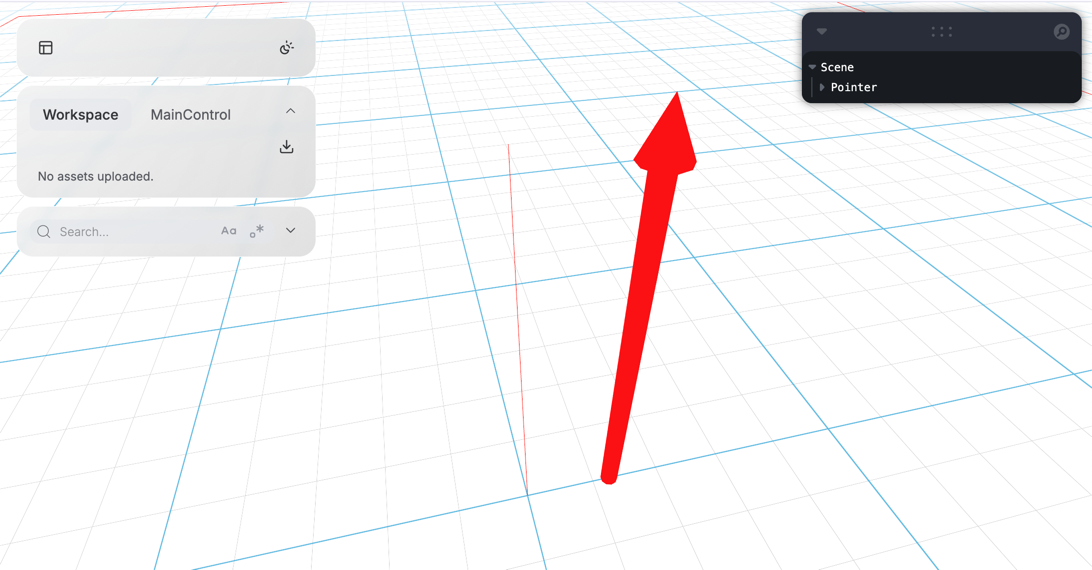
Basic Usage
A minimal example that creates an arrow:
import asyncio
from vuer import Vuer
from vuer.schemas import DefaultScene, Arrow, OrbitControls

app = Vuer()

@app.spawn(start=True)
async def main(session):
    session.set @ DefaultScene(
        Arrow(
            key="arrow",
            position=[0, 0.25, 0],
            rotation=[0, -1.57, 0],
            scale=1,
        ),
        up=[0, 0, 1],
        bgChildren=[
            OrbitControls(key="OrbitControls")
        ],
    )

    while True:
        await asyncio.sleep(1.0)
Key Parameters
| Parameter | Type | Default | Description |
|---|---|---|---|
key |
str | - | Unique identifier for the arrow |
position |
list | [0,0,0] |
Arrow origin position |
rotation |
list | [0,0,0] |
Arrow rotation (Euler angles) |
matrix |
list | - | 4x4 transformation matrix (16 numbers). Overrides position and rotation |
scale |
float | 1.0 |
Overall arrow size |
headScale |
float | 1.0 |
Scale factor for the arrow head |
lod |
int | - | Level of detail - number of segments for the cone and stem |